Planned is not paid
A renewal estimate never quietly becomes an expense. Recorded charges carry a source label (manual, receipt-confirmed or local import) so you always know where a number came from.
How it works
ModelTab keeps three things apart that most spreadsheets blur: what you have committed to, what you were actually charged, and which share of it belongs to a project. You stay in control of every number.
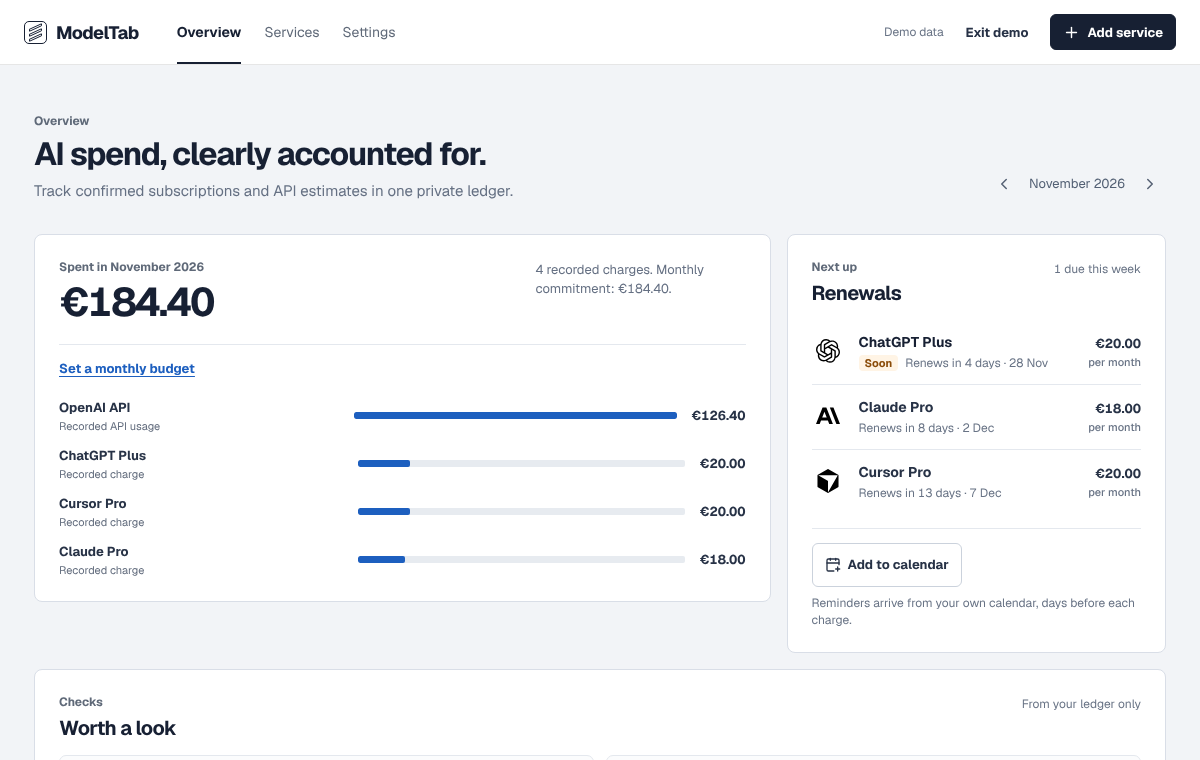
Pick ChatGPT, Claude, Cursor, GitHub Copilot, Perplexity, Gemini or any other service from the list, then enter your plan price and renewal date. That is your commitment: what you expect to pay.
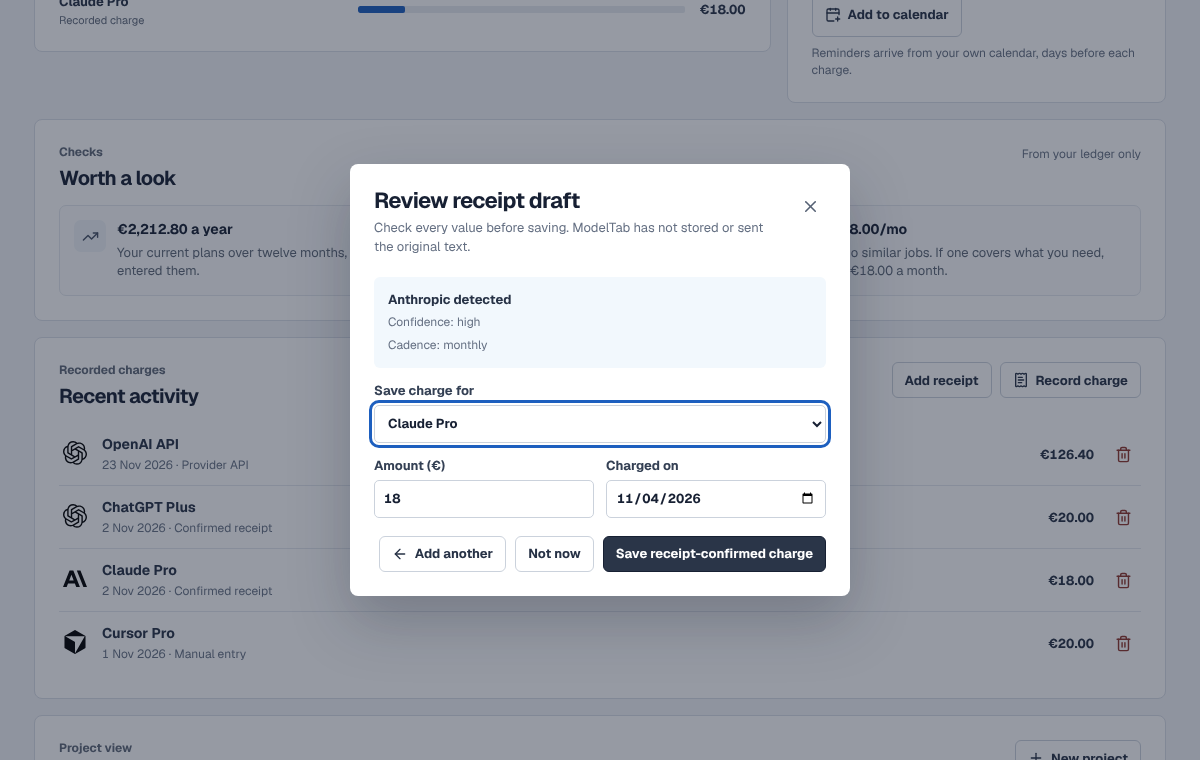
When a receipt arrives, paste its text or choose the PDF, text or CSV file. ModelTab reads it in your browser and shows an editable draft with the service, amount and date. Nothing is saved until you confirm it, and the original file is discarded.
Compare recorded charges against a single private limit. The budget never sends alerts or data anywhere; it simply tells you how much room is left this month.
Freelancers and small teams can create projects, import a Hetzner invoice or a Google Cloud billing row, and decide what percentage is really AI-related. Allocation starts at 0%, so nothing is attributed by guesswork.
A renewal estimate never quietly becomes an expense. Recorded charges carry a source label (manual, receipt-confirmed or local import) so you always know where a number came from.
ModelTab never asks for API keys, passwords or a bank connection. Usage APIs and inbox access would need far more trust than a spending overview deserves.
Receipt recognition understands English and Dutch labels such as factuurdatum, totaal and per maand, plus written Dutch dates.
Export your ledger or project costs to CSV at any time and open it in a spreadsheet or hand it to your accountant.
No account, no card and no connected accounts. Free forever on your device; Plus adds encrypted backup and sync, and beta testers get it free.