Private by design
No account, no bank link, no API keys. Receipts, invoices and bank statements are read in your browser and never uploaded. Plus backups are encrypted on your device first.
Compare AI spend trackers
Most trackers were built for something else: household bills, linked bank accounts or a developer's token meter. ModelTab is built for one question: what do ChatGPT, Claude, Cursor, your API credits and the hosting behind them cost you each month? Here is how it compares, with sources.
| Tracker | AI plans as money | API credits and usage | Nothing to connect | Android and Windows | Costs per client | Free with no item limit |
|---|---|---|---|---|---|---|
| ModelTabAI spend ledger, any browser | Yes: 25 services, with cancel links | Yes: Kept apart from plans | Yes: No bank, keys or account | Yes: Any browser, installable | Yes: One free, unlimited with Plus | Yes: Free, no limit |
| Rocket MoneyBank-linked budgeting, US | Partly: As part of all your bills | Not stated: Not stated | No: Links your bank via Plaid | Yes: Android, iPhone, web | Not stated: Not found | Partly: Free version; Premium $7–$14/mo |
| BobbySubscription list, iPhone | Partly: Typed by hand, as subscriptions | No: Not covered | Yes: Manual entry | No: iPhone and Apple silicon Mac | Not stated: Not found | No: Limit until you buy an unlock |
| SubcutSubscription manager, Apple | Partly: As general subscriptions | No: Not covered | Partly: Statements sent to its service | No: Apple devices only | Not stated: Not found | No: Free up to 5 |
| FavTrayMac menu-bar utility | No: Not tracked as money | Partly: Estimates from logs and keys | No: Logins or admin keys | No: macOS 14 and later | Not stated: Not found | Partly: Free; Pro $4.99 once |
| CodexBarOpen-source Mac menu bar | No: Plan limits, not spend | Partly: Credits and local cost scans | No: Provider sessions or keys | No: macOS, CLI on Linux | No: Not a ledger | Yes: Free, open source |
| Provider billing pagesOpenAI, Anthropic and others | Partly: One provider each | Partly: One provider each | Partly: Sign in to each provider | Yes: Web | No: No | Yes: Free |
| A spreadsheetDo it yourself | Partly: If you type it | Partly: If you type it | Yes: Nothing | Yes: Anywhere | Partly: With your own formulas | Yes: Free |
No account, no bank link, no API keys. Receipts, invoices and bank statements are read in your browser and never uploaded. Plus backups are encrypted on your device first.
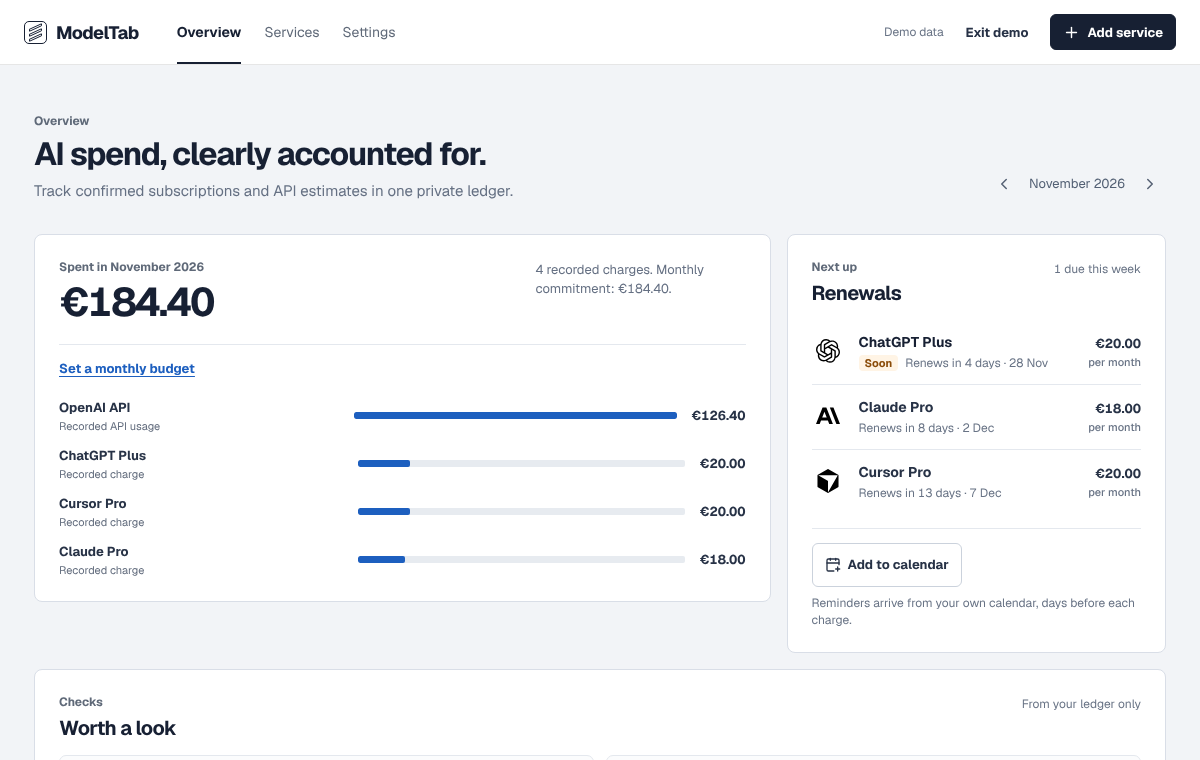
Plans like ChatGPT Plus and Claude Pro, prepaid API credits and usage, and the hosting behind your projects, in one monthly total. 25 AI services are built in, each with its own manage and cancel link.
ModelTab counts what you were actually charged and keeps planned renewals apart, so a forecast never quietly becomes an expense. Split costs per client with a percentage you choose.
Built in the Netherlands, priced in euros with VAT included, under EU privacy law. Charges in dollars or pounds keep the euro amount your bank actually took.
If you bank in the US and want groceries, rent and streaming in one app, a bank-linked budgeting app like Rocket Money covers far more than AI. ModelTab vs Rocket Money
If you code with Claude Code or Codex all day on a Mac, a menu-bar meter like CodexBar or FavTray shows limits as they reset. Keep it next to a ledger for the money side. ModelTab vs FavTray
For streaming, apps and utilities on an iPhone only, a simple list like Bobby or Subcut does the job. ModelTab vs Bobby · ModelTab vs Subcut
For a couple of plans and no API usage, a spreadsheet is enough. We even give you a free template.
Pick from 25 services, or let ModelTab find them in a bank statement CSV on your device.
Monthly or yearly, as it is on your bill. Prices are never prefilled, because VAT and app-store prices differ.
Then add receipts as they arrive. Nothing to install, no account to create.
ModelTab is built by a small independent team in the Netherlands. It is paid for by people who choose Plus, not by advertising or by selling data. That is why the free ledger needs no account, carries no trackers, and has no limit on what you record.
Pricing
Tracking your own AI spend is free, with no account and no card. Plus adds unlimited client projects with reports, and encrypted backup and sync, for €5 a month or €48 a year. Full refund within 14 days.
Yes. Tracking your own AI subscriptions and API charges is free with no limit on services or charges, and one project to try cost allocation. You only pay for Plus if you want more projects, or encrypted backup and sync.
No. ModelTab never connects to anything. You pick your tools and type what you pay, or drop a receipt, PDF invoice or bank statement CSV, which is read in your browser and never uploaded.
There is no direct import from other apps. Most people are done in a couple of minutes by ticking their AI tools, or by scanning a bank statement CSV, which finds AI charges automatically.
Yes, in any country and with any bank. Your ledger is kept in euros; for charges in dollars, pounds or francs you record the euro amount your bank took, next to the original.
From each product's own website or App Store listing, opened on the date shown on the page and linked under Sources. Where a source says nothing, we say "not stated" rather than guess. Spotted something out of date? Write to support@modeltab.app.